

Outer loop over an epic
An outer loop that delivers an epic's tickets through a sub workflow
In this example you work through all of an epic’s sub tickets in one run. The outer loop selects the next unfinished sub ticket, hands it to an imported delivery workflow, and comes back to select again. It stops when the select step reports that nothing remains.
About five minutes to set up. The run can take a long time, one delivery per sub ticket.
digraph epic {  graph [version="1", entry="select", inputs="work", description="Work through an epic one sub ticket at a time", max_visits="200"]
  select [prompt="Read the epic at {{ inputs.work }} and every sub ticket under it. Choose the next unfinished sub ticket and report it as the current work. Choose ticket while one remains, or none once every sub ticket is finished.", outputs="current_work:work,remaining:choice"]  ticket [import="subgraphs/ticket.dot"]  finished [shape="Msquare", outcome="success"]  stalled [shape="Msquare", outcome="failed", label="A sub ticket could not be delivered"]
  select -> ticket [condition="remaining == 'ticket'", weight="2"]  select -> finished [condition="remaining == 'none'", weight="1"]  ticket -> select [exit="delivered", loop_restart="true"]  ticket -> stalled [exit="rejected"]}
Before you start
Section titled “Before you start”You need:
- a signed-in harness that can read your tracker;
- a project whose primary folder holds the code the sub tickets change. The example makes no worktree, so the agent changes files in that folder itself. A plain folder works, except with Codex. See plain folders and Git;
- the workflow: download the archive. It holds
epic.dotandsubgraphs/ticket.dot.
1. Add the workflow
Section titled “1. Add the workflow”-
Unpack the archive into your workflow library,
~/.orbital/workflows/. Keep every relative path, sosubgraphs/ticket.dotsits besideepic.dot. -
Check it:
Terminal window orbital validate ~/.orbital/workflows/epic.dot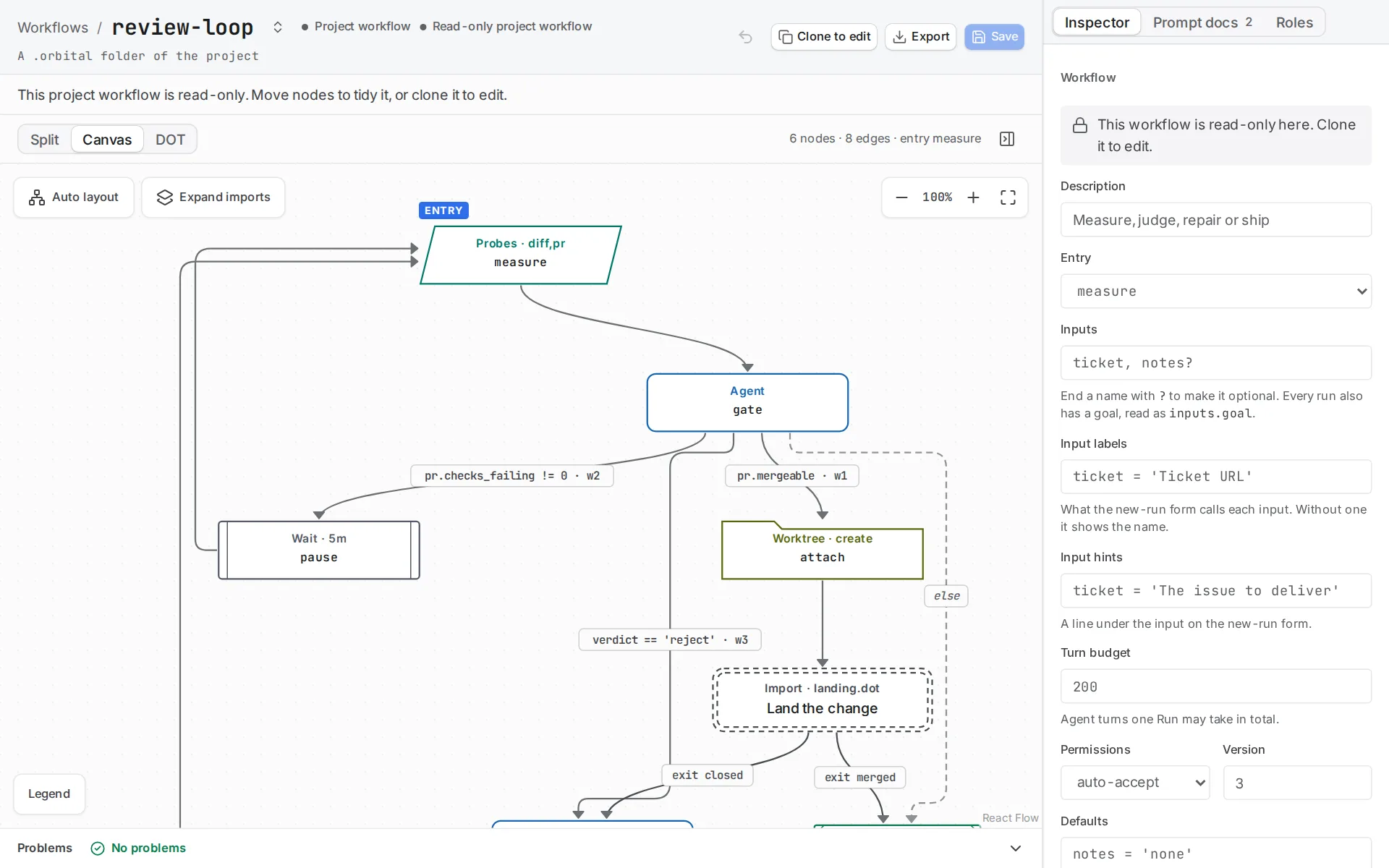
The imported sub workflow shows as one node in its parent.
2. Read how it works
Section titled “2. Read how it works”select declares two outputs. remaining:choice decides the route, and Orbital infers ticket and none from the two outgoing conditions. current_work:work matters more. The work kind accepts a validated work scope rather than free text. A select step that returns a vague description, or a ticket URL that is its own parent, fails validation instead of sending the Implementer somewhere unhelpful. Any prompt downstream renders that scope with {{ current_work }}.
ticket [import="subgraphs/ticket.dot"] is an import placeholder. Orbital flattens the imported workflow into the parent before validation, and its two terminals become the exits the parent’s edges bind: delivered returns to the select step, and rejected ends the run. Every exit has to be bound exactly once.
The return edge carries loop_restart="true". That clears the previous sub ticket’s context, the history of its steps and its agent sessions. It keeps the original inputs, the run identity, visit counts and repair budget state. Without it, the tenth sub ticket would carry nine sub tickets of history into every prompt.
Bounding the inner review loop needs a repair budget rather than a visit cap. max_visits counts every visit to a node for the life of the run, and a restarted loop keeps those counts. So a cap of four on implement would bound the whole epic at four sub tickets rather than four attempts at one of them. The sub workflow puts repair_budget="sub_ticket" on all three edges out of review instead: retry sends the work back, exhausted gives up after five rounds, and reset on the passing edge clears the budget so the next sub ticket starts fresh. The workflow’s max_visits remains the outer guard on total agent turns.
digraph ticket {  graph [version="1", entry="implement", description="Implement and locally review one sub ticket"]
  implement [prompt="Implement the current work described below. Satisfy only its requirements. {{ current_work }}", outputs="implementation_summary:text"]  review [prompt="Review the implementation against the current work described below. Choose pass when it satisfies the work, or reject when it does not. {{ current_work }}", outputs="verdict:choice"]  delivered [shape="Msquare", outcome="success"]  rejected [shape="Msquare", outcome="failed", label="Five reviews rejected the same sub ticket"]
  implement -> review  review -> delivered [condition="verdict == 'pass'", weight="3", repair_budget="sub_ticket", repair_round="reset"]  review -> implement [condition="verdict == 'reject'", weight="2", repair_budget="sub_ticket", repair_round="retry"]  review -> rejected  review -> rejected [condition="verdict == 'reject'", weight="1", repair_budget="sub_ticket", repair_round="exhausted"]}
Download epic.dot or ticket.dot on its own.
Replace the sub workflow with your own delivery workflow. The ticket workflow is the realistic one: it publishes a pull request, watches its state and merges.
3. Start the run
Section titled “3. Start the run”Choose New task and pick the project that holds the code the sub tickets change. Choose the epic workflow, set work to the epic’s URL and write the goal.
What you get
Section titled “What you get”Each iteration selects one sub ticket, implements and reviews it, then returns to the select step with a cleared context. A select step that reports none ends the run Succeeded. A reviewer that rejects the same sub ticket five times spends its repair budget, and the run ends Failed at the failed terminal, naming the sub ticket that stalled.
Related
Section titled “Related”- Reuse a workflow: how a sub workflow’s terminals become exits
- Add a loop: the other ways to bound a loop
- Ticket to merge: a realistic delivery workflow to import instead
- Deliver an epic: the shipped epic workflow