

Review pull requests
Start a review run each time someone opens a pull request
In this example you have an agent review every new pull request. You add the review-pull-request workflow to your library, then make a trigger rule that starts it when a pull request opens. The run reads the pull request and leaves one review comment.
About ten minutes to set up. After that, each review run starts within about a minute of a pull request opening.
digraph review_pull_request {  graph [version="1", entry="review", description="Review one pull request and leave the review as comments, without changing, approving or merging it"]
  review [role="Reviewer", tools="read, shell", prompt_file="prompts/review-pull-request/review.md"]  done [shape="Msquare", outcome="success"]
  review -> done}
Before you start
Section titled “Before you start”You need:
- the Triggers feature turned on: Settings > Experimental features > Triggers;
- a GitHub token that can read the repository and comment on its pull requests, from
gh auth loginor Settings > GitHub; - the
ghcommand on the machine that runs Orbital; - a project whose primary folder is the repository;
- the workflow: download the archive.
1. Add the workflow
Section titled “1. Add the workflow”-
Unpack the archive into your workflow library,
~/.orbital/workflows/. Keep every relative path. -
Check it:
Terminal window orbital validate ~/.orbital/workflows/review-pull-request.dot
Every project now offers review-pull-request, and it shows on the Workflows page.
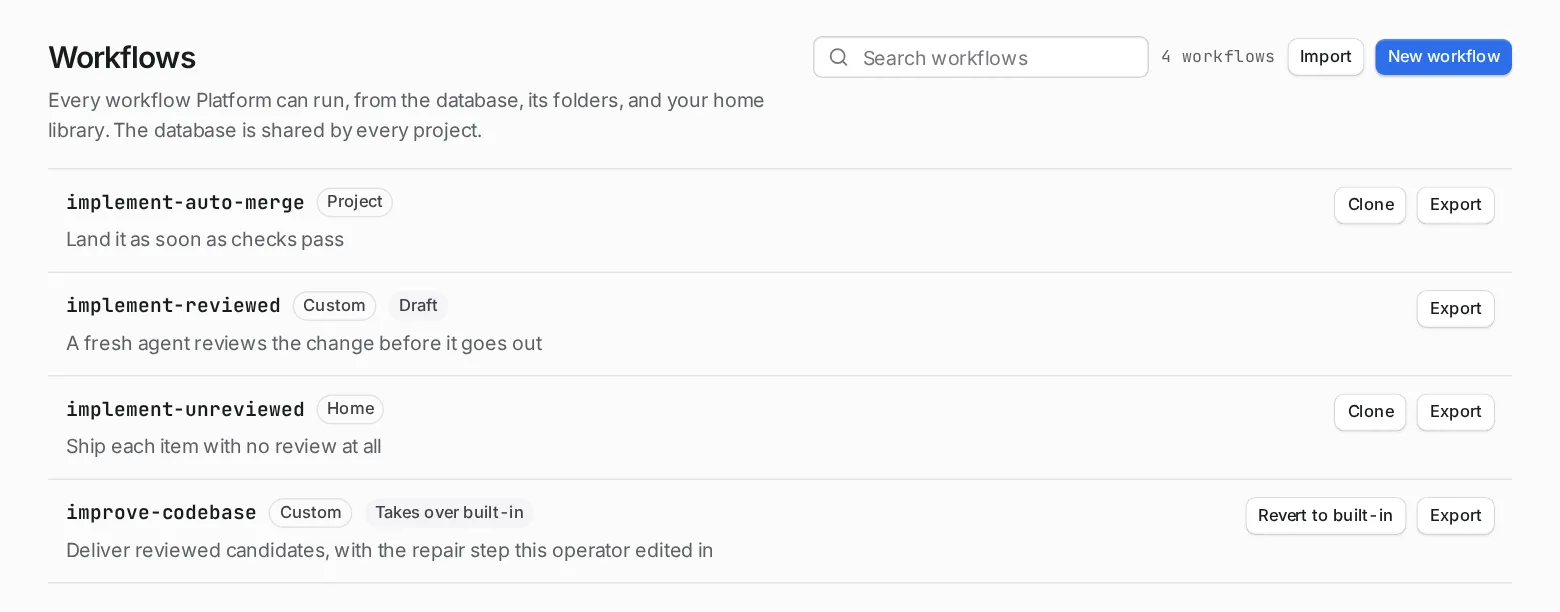
The archive holds the workflow above and its prompt:
Review this pull request: {{ inputs.goal }}
Read the pull request with the GitHub command line, `gh`: its description, the tickets it names, its diff, its checks and the review comments already on it. Read the repository's instructions files, such as AGENTS.md or CLAUDE.md, and follow its review conventions.
Look for defects, missed requirements, missing tests and risks. For each finding, give the file and line, what is wrong, why it matters and the evidence. Do not report style a formatter would fix.
Leave one review on the pull request with `gh pr review --comment`, holding every finding. Never approve, request changes on, merge or close the pull request, and do not push commits or change any file. If you cannot read the pull request, say so and stop.
End with a short summary of the review you left, with the pull request's address.
2. Understand what the agent can do
Section titled “2. Understand what the agent can do”The step runs as the Reviewer role, but tools="read, shell" replaces the role’s Full access. The step can read files and run commands, because it needs gh to read the pull request and post the review. It has no Change files, no web and no connected services. The workflow makes no worktree. Its prompt tells it never to approve, merge or change anything.
The pull request’s title, description and diff come from whoever opened it. The agent reads them, so text in them can try to steer it. The prompt tells the agent not to change or push anything, but a prompt is only a request: tool access, not the prompt, enforces limits. Taking away Change files stops the agent editing files directly. It can still run commands. So the rule in the next step should also start runs only for pull requests from people you trust.
3. Make the rule
Section titled “3. Make the rule”-
Open Triggers in the sidebar and choose the ready-made rule “Review every new pull request”. It fills in:
- source: GitHub, for pull requests that are opened;
- action: Starts a run;
- goal:
Review {{ url }}: {{ title }}.
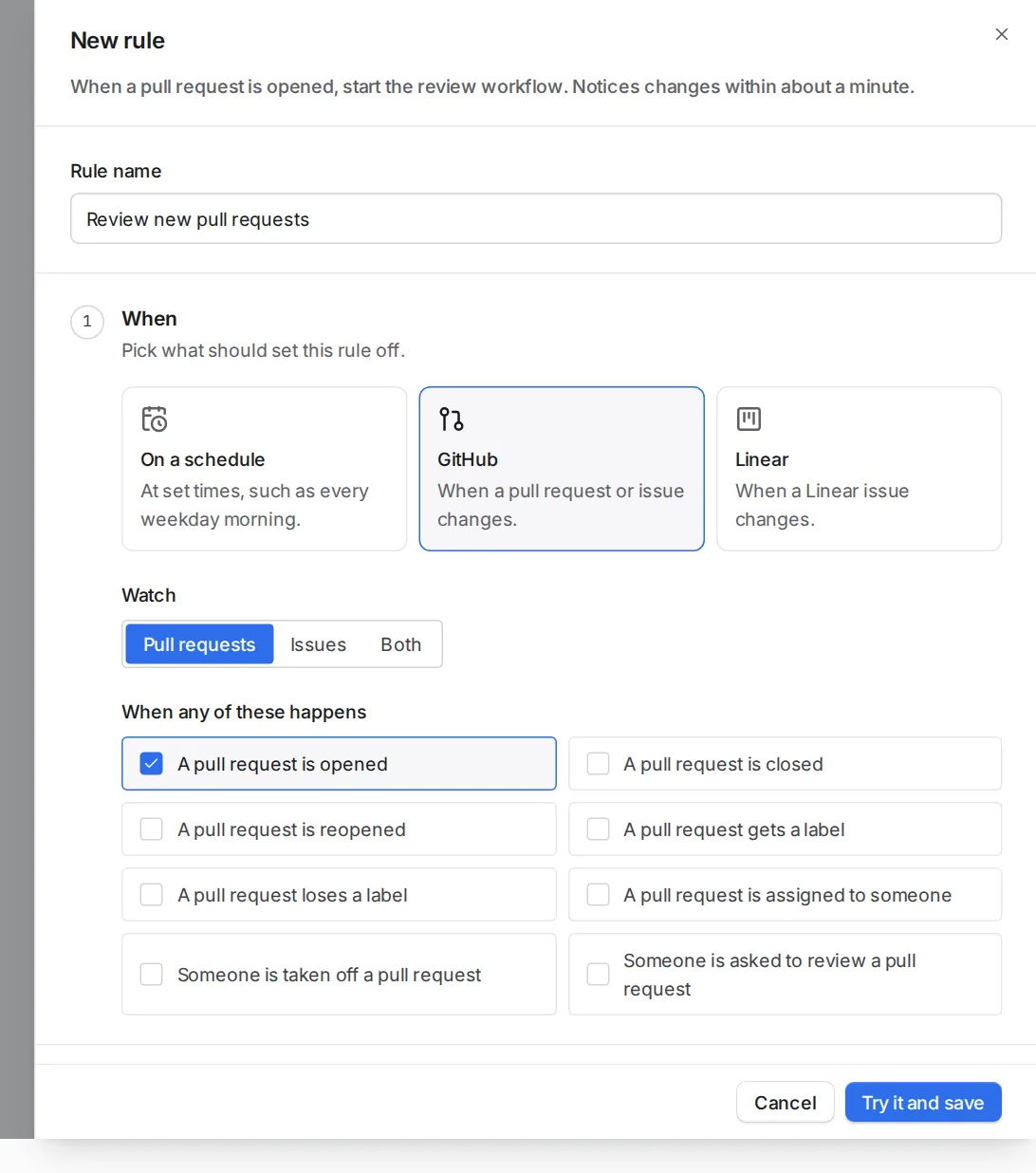
The ready-made rule listens for opened pull requests. -
Choose the project and the
review-pull-requestworkflow. -
Limit it to people you trust. Under Only if, add “Author’s team is any of” and pick a team of your organisation, written as
organisation/team, such asacme/engineering. The rule then starts runs only for pull requests that team’s members open, not for one from a stranger on a public repository. Add more conditions if you need them. For example, “Target branch is any ofmain”, or leave out draft pull requests. -
Choose Try it and save. Orbital shows what the rule would have done over the last seven days. Saving turns the rule on.
4. Open a pull request
Section titled “4. Open a pull request”When someone opens a pull request, the rule starts a run within about a minute. The run’s goal holds the pull request’s address and title.
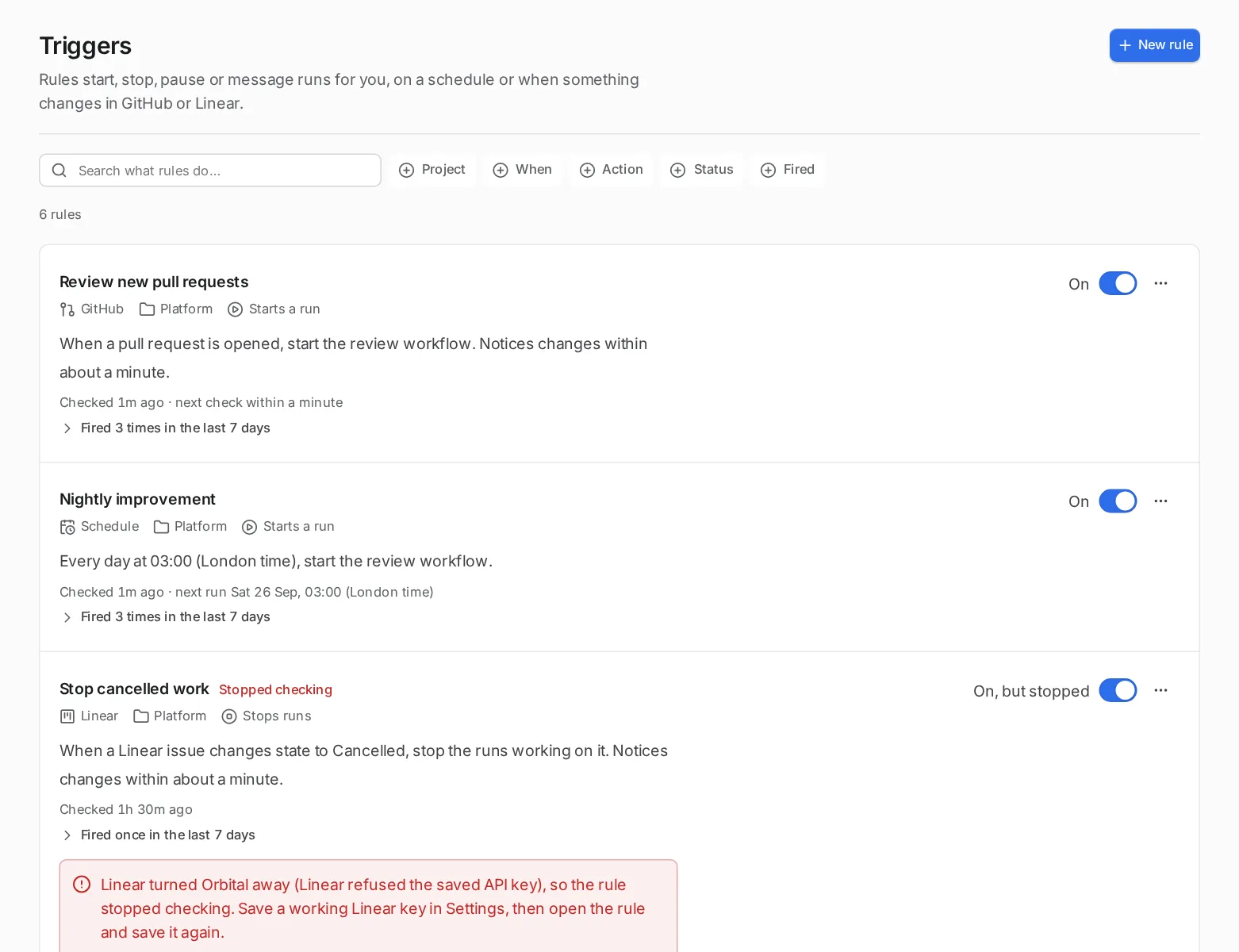
The rules list shows when each rule last checked and what it did, such as “Started a run”.
What you get
Section titled “What you get”The review appears on the pull request as a comment. The run’s last message in the Session tab summarises it.
Keep it under control
Section titled “Keep it under control”Each opened pull request starts one run, and each run takes a run slot while it works. Keep Concurrent runs in mind, and narrow the rule with conditions on a busy repository. See The run queue.
A rule can also stop, pause or message the runs that a trigger started for the same pull request. For example, a second rule on “closed” with the action Stops runs ends a review that is no longer needed.
Related
Section titled “Related”- Triggers: what a rule watches and what it can do to runs
- Make a trigger rule: build a rule of your own step by step
- Settings: turn on the Triggers feature
- The run queue: how many runs work at once