

Roles and tool access
Named building blocks decide who a step's agent is and what it uses
You decide three things for each agent step: who the agent is, which model it runs on, and which tools it may use. Orbital gives each its own named building block, and a role bundles all three under one name.
| Building block | What it decides | Example |
|---|---|---|
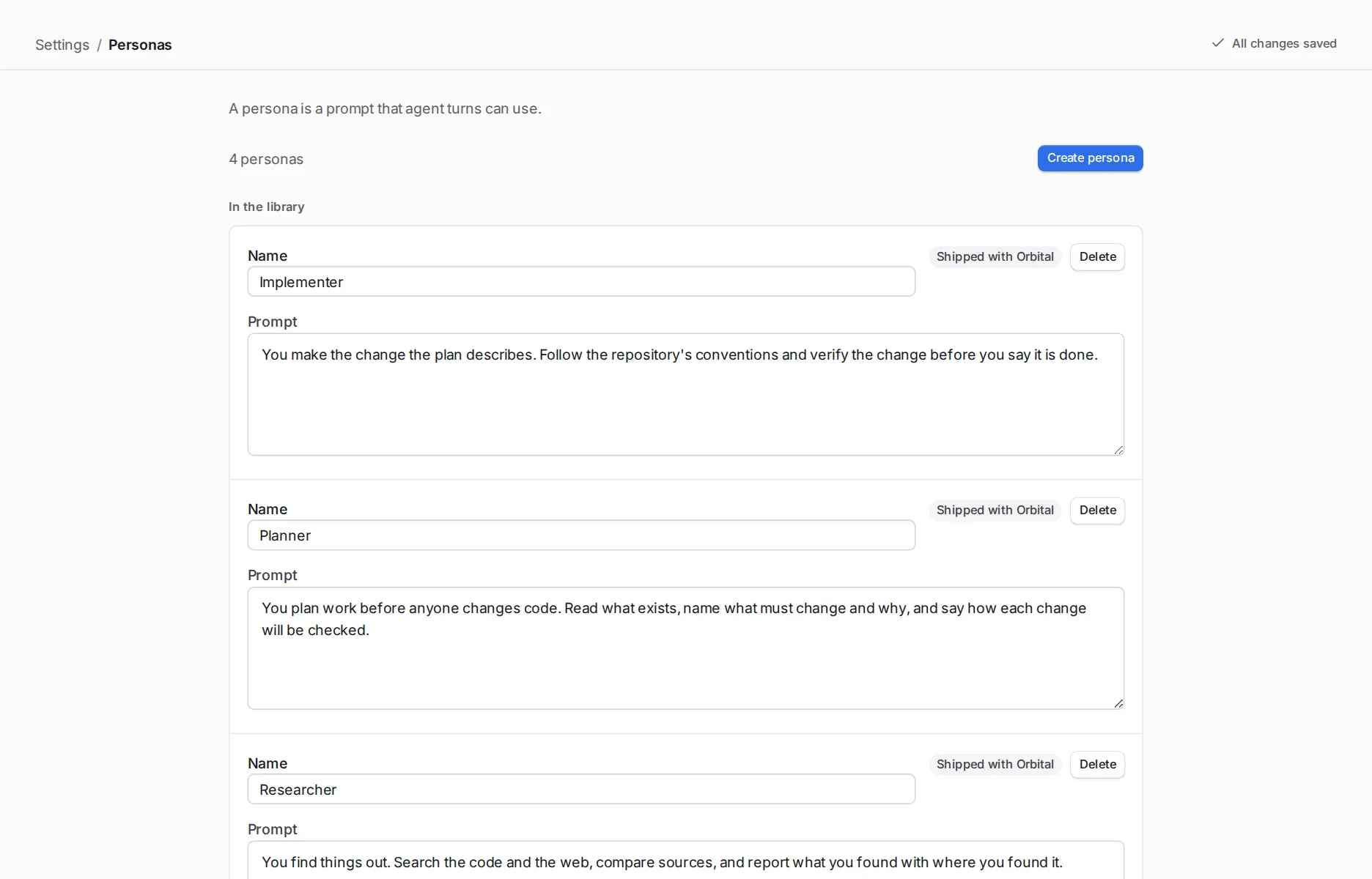
| Persona | Who the agent is: a prompt it receives with the step’s own prompt. | Strict reviewer: “You review work you did not write…” |
| Model settings | The harness, model and effort. | Deep thinking: effort high, on any harness. |
| Tool access | Which kinds of tool the step may use. | Read only: read files and nothing else. |
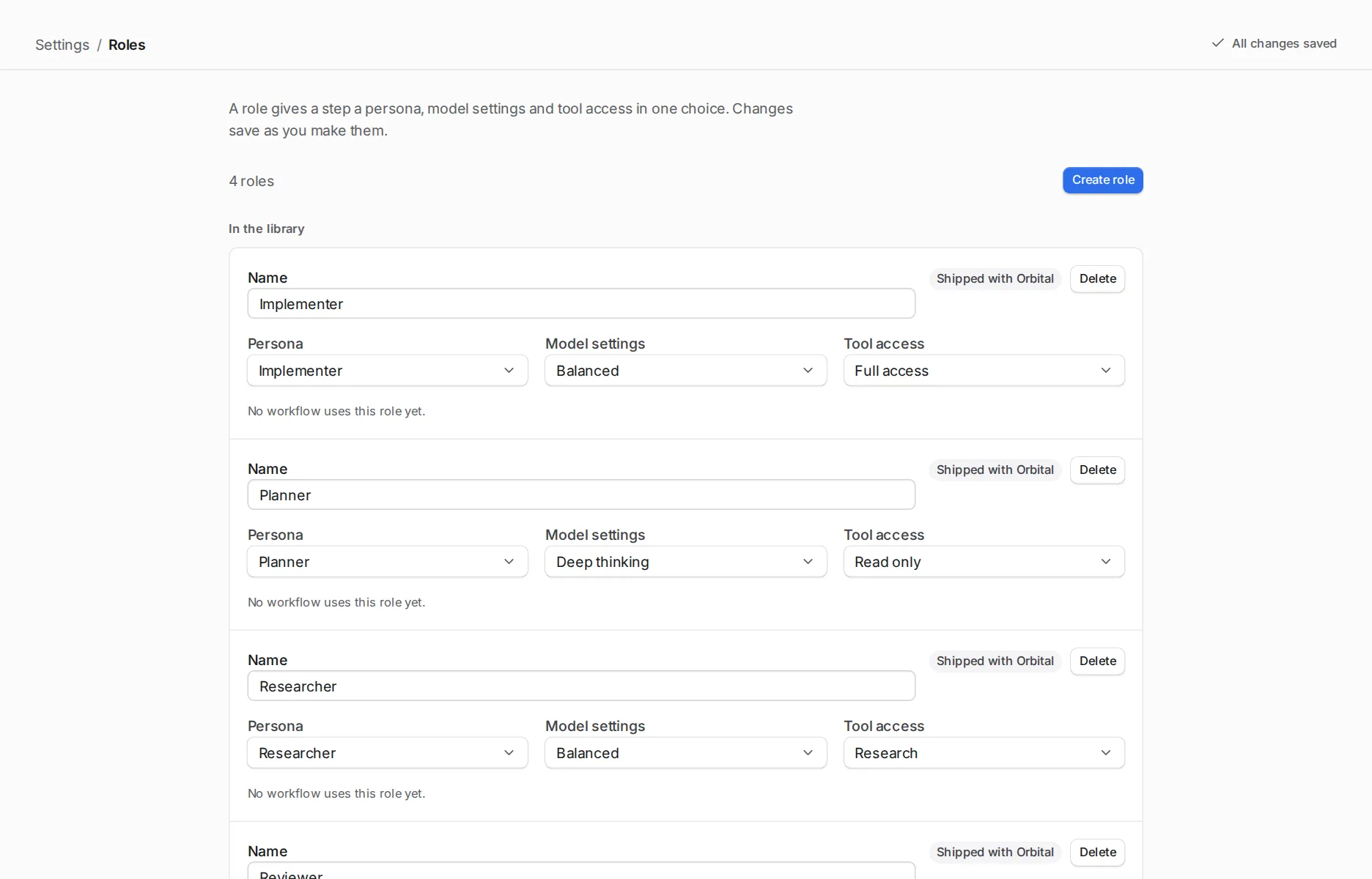
| Role | One persona, one model settings and one tool access together. | Reviewer: Strict reviewer, Deep thinking, Full access. |
The same name means the same thing on every step. Change the model settings called Deep thinking, and every step that uses it changes.
Tool access
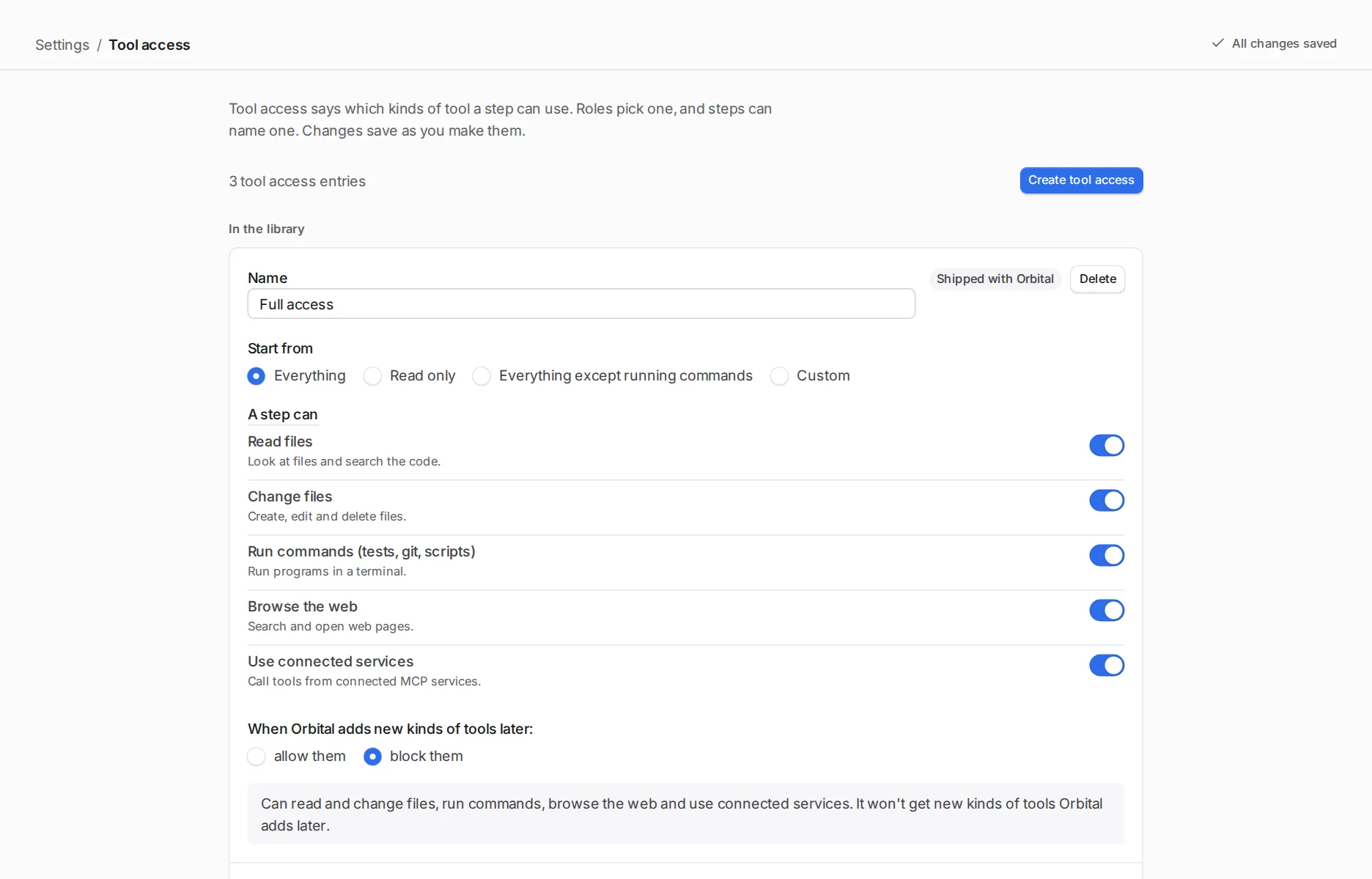
Section titled “Tool access”Tool access has five switches. The harness enforces them, not the prompt. Permissions explains how they differ from the permissions attribute.
| Switch | Kind | What it covers |
|---|---|---|
| Read files | read |
Read, list and search files. |
| Change files | edit |
Create, change and delete files. |
| Run commands (tests, git, scripts) | shell |
Run programs in a terminal. |
| Browse the web | web |
Fetch pages and search the web. |
| Use connected services | mcp |
Tools from MCP servers, including Orbital’s own. |
A step whose tool access leaves a kind out does not see those tools at all. Blocks add up: a kind blocked anywhere on the way to a step stays blocked.
Two limits come from the harnesses. A step that can run commands can still read files through them. Codex reads files only through commands, so it keeps commands available for reading even when Tool access withholds Run commands. Without Change files, Codex runs those commands in a read-only sandbox and cannot write to the repository.
Permissions
Section titled “Permissions”Tool access decides which tools a step has. Permissions decide whether the harness asks before it uses them. Neither the prompt nor permissions limits tools: only tool access does.
A workflow sets permissions="auto-accept" or permissions="full" for all its steps. The default is auto-accept. When a harness asks you something, the run shows as Question until you answer. See standings.
Claude Code
Section titled “Claude Code”| Setting | What happens |
|---|---|
auto-accept |
Claude Code’s auto mode approves what it judges safe. Whatever auto mode does not settle, the run asks you as a Question. |
full |
Claude Code bypasses its permission checks. Nothing is asked. |
| Tool access | A step does not get the tools of a kind it lacks. |
| Setting | What happens |
|---|---|
auto-accept |
Codex defaults to workspace-write and on-request: it can change files in the workspace and run sandboxed commands, and decides when to ask for approval to act outside the sandbox. Each approval request appears as a Question for you to approve or decline. Set codex_sandbox_mode and codex_approval_policy to override these defaults, subject to the tool access limit below. |
full |
Codex runs with full access and never asks, whatever codex_sandbox_mode and codex_approval_policy say. |
| Tool access | A step without Change files runs in a read-only sandbox and never asks, whatever permissions says. Codex reads files through its sandboxed shell, so it keeps the shell for reading even without Run commands. |
Harness-specific attributes lists the sandbox modes and approval policies.
OpenCode
Section titled “OpenCode”| Setting | What happens |
|---|---|
auto-accept |
Every permission OpenCode raises is asked as a Question. Your OpenCode permission settings decide what it raises. |
full |
Every permission is approved. Nothing is asked. |
| Tool access | A step sees only the tools of its kinds. OpenCode refuses any other call before asking you. |
Shipped workflows
Section titled “Shipped workflows”Of the shipped workflows, pursue-goal and port-project use full. The others use auto-accept. Every shipped role but Supervisor has Full access, so a step in those roles can change files and run commands whatever its permissions say.
What ships
Section titled “What ships”Orbital ships these entries. You can edit each one in Settings.
| Role | Persona | Model settings | Tool access |
|---|---|---|---|
| Planner | Planner | Deep thinking | Full access |
| Implementer | Implementer | Balanced | Full access |
| Reviewer | Strict reviewer | Deep thinking | Full access |
| Researcher | Researcher | Balanced | Full access |
| Supervisor | Supervisor | Deep thinking | Supervisor |
| Tool access | Kinds |
|---|---|
| Read only | Read files |
| Research | Read files, Browse the web |
| Full access | Every kind |
| Supervisor | Read files, Browse the web, Use connected services |
Deep thinking sets effort high and Balanced sets effort medium. Neither names a harness or model, so they run on whichever harness the run uses.
The Supervisor role is the one the Supervisor speaks in. Shipped defaults lists every shipped entry and each persona’s prompt.
The library and a workflow’s own blocks
Section titled “The library and a workflow’s own blocks”The library holds the entries in Settings > Roles, Personas, Model settings and Tool access. Every workflow can use them by name.
A workflow can also define its own blocks. A block with the same name as a library entry replaces it for that workflow only. In the editor, saving a role asks whether to “Change it everywhere” or “Only in this workflow”.
Orbital adds the shipped entries on every start. It never overwrites an entry you edited. Reset to default returns an edited entry to what ships. Deleting a shipped entry hides it until you choose Restore. Give steps a role gives the details.
Choose them for a step
Section titled “Choose them for a step”In the workflow editor, select the step and pick a Role, Persona, Model settings or Tool access in the inspector. In a workflow file, set role, persona, model_settings or tool_access on the step. A step’s own choice beats its role’s, and its role’s beats the workflow’s.
To make a step read-only, give it tool_access="Read only".
Quick reference
Section titled “Quick reference”| To decide | In the editor | In the workflow file |
|---|---|---|
| Persona, model settings and tool access together | Role, on the step | role on the step |
| Who the agent is | Persona | persona |
| Harness, model and effort | Model settings | model_settings |
| Which kinds of tool the step has | Tool access | tool_access |
| Whether the harness asks before it uses a tool | The workflow’s Inspector | permissions on the workflow |
Related
Section titled “Related”- Give steps a role: a worked example in the editor.
- Use different models in one workflow: model settings on several harnesses.
- Attributes: the block grammar and the full resolution order.
- Settings: the library pages.