

Switch a run's harness
Retry a run's current step on another harness, by hand or automatically
Move a run to another harness part way through when its harness runs out of quota, is missing, or does a step badly. Open the run’s Run actions menu (⋯) and choose Retry with another harness…. The current step starts again on the new harness, and the rest of the run stays as it is.
Before you start
Section titled “Before you start”- Install and sign in to the harness you want to move to. Settings > Harnesses shows its status.
Switch the harness
Section titled “Switch the harness”-
Stop the step.
If the step is still working, choose Pause and wait until the step stops. A run that has already stopped needs no pause.
-
Open the dialog.
Open the Run actions menu (⋯) and choose Retry with another harness….
-
Pick the harness and retry.
Pick the new harness under Harness, then choose Change harness and retry.
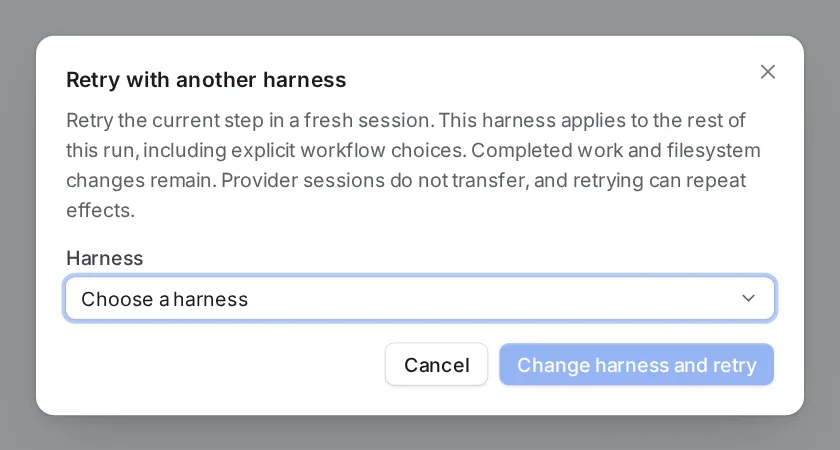
Pick the harness, then retry.
What changes and what stays
Section titled “What changes and what stays”The current step starts again on the new harness, in a fresh session. The new harness then does every later step of the run too, even a step whose workflow names another harness.
| Part of the run | After the switch |
|---|---|
| Tool access of each step | Kept. |
Settings made for the new harness, such as codex_model and codex_effort |
Kept. |
| A model or effort that names no harness | Dropped. The new harness uses its own default model and effort, or the Default model and Default effort you set for it. |
| Finished steps, the run’s context and history | Kept as they are. |
| Worktrees and file changes | Kept as they are. |
| The old harness’s session | Does not carry over. |
Switch from a coding agent
Section titled “Switch from a coding agent”A coding agent can do the same with the control_run MCP tool and the ChangeHarness action. That action takes an optional model, but Orbital refuses the call when you give one. It changes a run’s harness, not yet its model.
Quota fallbacks
Section titled “Quota fallbacks”A quota fallback lets the Supervisor switch a run for you when its harness runs out of quota. Set it under “When a harness runs out of quota” in Settings > Harnesses: Switch to names the harness to move to.
The Supervisor settings show the same list as Quota fallbacks, with Move a run to. A change in one place changes the other.
The Supervisor switches a run only to a harness in that list. It does so only when its Switch a run’s harness permission allows it. That permission is Do it unless you change it. Without the Supervisor, Orbital never moves a run by itself.
The fallback also has an On model field. Orbital does not apply it yet. The switched run uses the new harness’s default model, as described above.
Related
Section titled “Related”- Harnesses and models: which harness a step uses and what each status means
- Pause, stop or resolve a run: pause a step before you switch
- Supervisor: the agent that applies quota fallbacks
- MCP tools: the
ChangeHarnessaction