

Lead delivery with a supervisor
Put a delivery lead over your runs, as a coding agent or the Supervisor
You put a delivery lead over your runs so you can keep the product decisions and hand off the rest. The delivery lead makes tickets ready, writes goals, starts runs on them and checks in on a steady cadence. It unsticks runs without losing work, and checks what they delivered before it closes anything.
The delivery lead is either a coding agent connected over MCP or the built-in Supervisor. Both follow the same loop. Choosing a coding agent or the Supervisor compares them.
The loop
Section titled “The loop”The delivery lead repeats these six steps.
-
Refine the ticket against main.
An open ticket is not always ready to build. Before any run starts on it, check these points:
Check What to do Is it already delivered? Search merged pull requests for its number, and read the code on the default branch. Close a delivered ticket with a pointer to the pull request. Is it still true? Recent merges rename files and remove what a ticket relies on. Fix every stale name and claim. Is it measured? A ticket about speed, size or cost carries today’s numbers. Does it fit the product now? Check it against the repository’s rules files, such as CLAUDE.mdorAGENTS.md, and recent decisions.Is it one piece of work? Split a ticket too large for one run. Can a run prove it is done? Every “done when” item must be something a check or a test can show. -
Write a goal that carries every rule.
Most work runs on
pursue-goal. Its validate step sees only the goal and the code, so write every rule validate needs into the goal:- Link the ticket and say “exactly as the ticket describes”.
- Tell the Implementer to commit at the end of every round, and never to leave work uncommitted between rounds.
- Tell validate to check every “done when” item one by one, and to run the repository’s checks. Tell it that a blocker the agent cannot fix is never a pass.
- Name the repository’s own checks and rules.
- Ask for one closing keyword per ticket in the pull request.
For several tickets in one run, list them in order. Tell validate to reject with the next ticket’s name while tickets remain.
-
Start runs.
Start the run with the goal. Start runs that touch the same files one after another, and independent runs side by side. Keep the queue short: at most one run queued beyond those working.
-
Check in on a cadence.
Check every active run about every 30 minutes. For each run, read its standing, the steps it entered, validate’s verdicts and feedback, its worktree’s commits and uncommitted changes, and its pull request’s checks.
A run is making progress when it adds commits, when validate’s findings shrink, or when its pull request moves. Treat it as stuck when:
- validate repeats the same findings for three rounds with no new commit;
- uncommitted work sits in the worktree across two rounds;
- the implement step is within three visits of its cap;
- a step has been silent for over 20 minutes with no tool calls;
- it loops between two steps with nothing new;
- it is Paused with a reason, such as the badge “Waiting on you”;
- its pull request fails checks, or GitHub will not merge it;
- it is queued behind slots that stuck runs hold.
A run whose badge reads “Waiting: The pull request is waiting for review or merge” for days is not stuck. That is your review process working.
-
Unstick without losing work.
Secure the work first. When a stopped run has uncommitted changes, commit and push them to its own branch with
secure_run_work. Then take the least disruptive step that puts the run back on track, in this order:Order Step 1 Message the running step with the concrete next action. 2 Resume a paused run whose cause is fixed. 3 Retry a failed step whose cause has passed. 4 Split an oversized ticket, and start a new run from the pushed branch. 5 Fix a small cause yourself, when it is in reach. 6 File a bug for an Orbital defect, with the run and the evidence. A message reaches only the step that is running. When the scope changes, revise the run’s goal as well. Record the change on the ticket, where validate reads it.
-
Verify and close.
Never take a run’s word for it:
- Confirm the pull request merged and every ticket it names is closed.
- Check the result yourself on the default branch: read the code and run the proving check.
- Close an epic when every sub-issue is closed.
- Archive finished runs, and remove worktrees they left once nothing in them is unpushed.
Rules that keep it safe
Section titled “Rules that keep it safe”These rules apply to any delivery lead, the skill or the built-in Supervisor.
| Rule | What it means |
|---|---|
| Never abort unpushed work. | Abort a run only when its work is committed and pushed and a replacement run has started from that branch, or when it holds no work at all. |
| Keep the queue short. | At most one run queued beyond those working. A long queue behind a stuck run holds everything up. |
| A blocker is never a pass. | Validate keeps rejecting while a blocker stands, and says so. The delivery lead fixes or escalates the blocker; it never lowers the bar. |
| Respect the review process. | The delivery lead does not approve or merge pull requests, and does not chase reviewers. |
| Never check out a run’s branch. | A run’s worktree holds it. |
| Give a reason with every action. | It is recorded on the run. |
Set up the delivery lead
Section titled “Set up the delivery lead”-
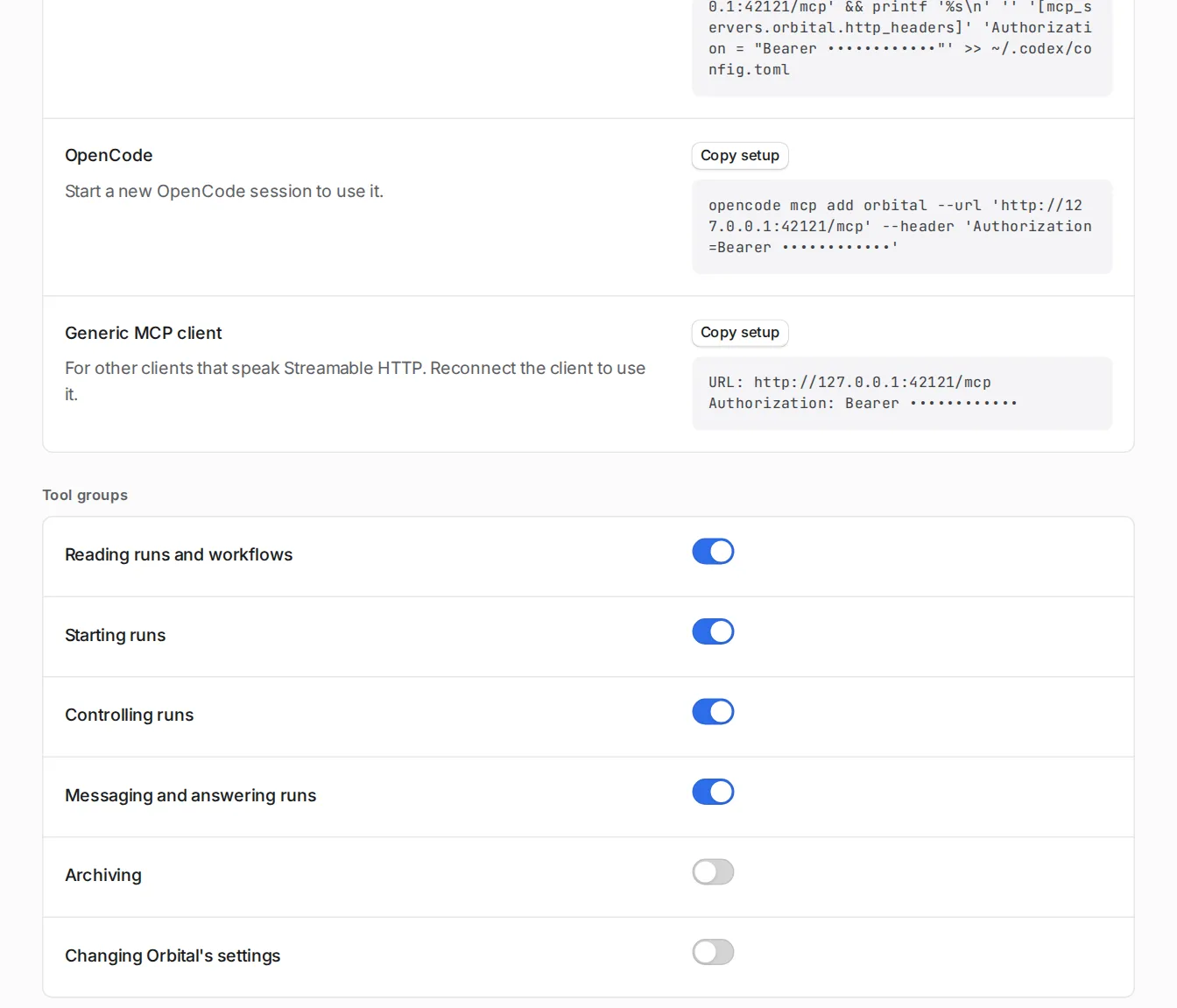
Connect the agent.
-
Install the skills.
Install the shipped skills from Settings > Command line and skills, or run
orbital skill install. -
Start a session.
Start a new session of the agent in the repository.
-
Ask it to lead.
Give it the ticket, the project and the cadence. For example:
Use the orbital-delivery-lead skill. Deliver https://github.com/acme/shop/issues/412with Orbital in the Shop project. Refine the ticket first, then start apursue-goal run and check in every 30 minutes until it merges.
The agent works through the loop with Orbital’s MCP tools, plus gh and git:
| Loop step | Tools |
|---|---|
| Refine | gh issue view, gh pr list --search, reading the code |
| Start | list_projects, list_workflows, start_run |
| Check in | list_runs, get_run, read_run_history, read_run_thread, wait_for_run, read_run_worktree, read_pull_request |
| Unstick | secure_run_work, message_run, revise_goal, control_run |
| Close | gh pr view, gh issue close, archive_run, resolve_run |
archive_run and resolve_run belong to the Archiving tool group, which is off until you turn it on in Settings > MCP.
To keep the cadence, ask the agent to repeat its check-in, for example with Claude Code’s /loop command. Or use wait_for_run, which returns as soon as a run’s standing changes.
-
Turn on the Supervisor.
Open Settings > Experimental features and turn on Supervisor. A chat named Supervisor appears, pinned at the top of your chats.
-
Choose what it may do.
Open Settings > Supervisor. Each action is Do it, Ask me first or Never. Start with Ask me first for Start runs and Switch a run’s harness until you trust it.
-
Write your rules.
Under Your instructions, write your rules, such as your goal template and “Never abort a run that holds unpushed work.”
-
Talk to it.
Ask it for work in its chat. For example:
Start implement-ticket on https://github.com/acme/shop/issues/412 in Shop,and tell me when the pull request is ready for review.
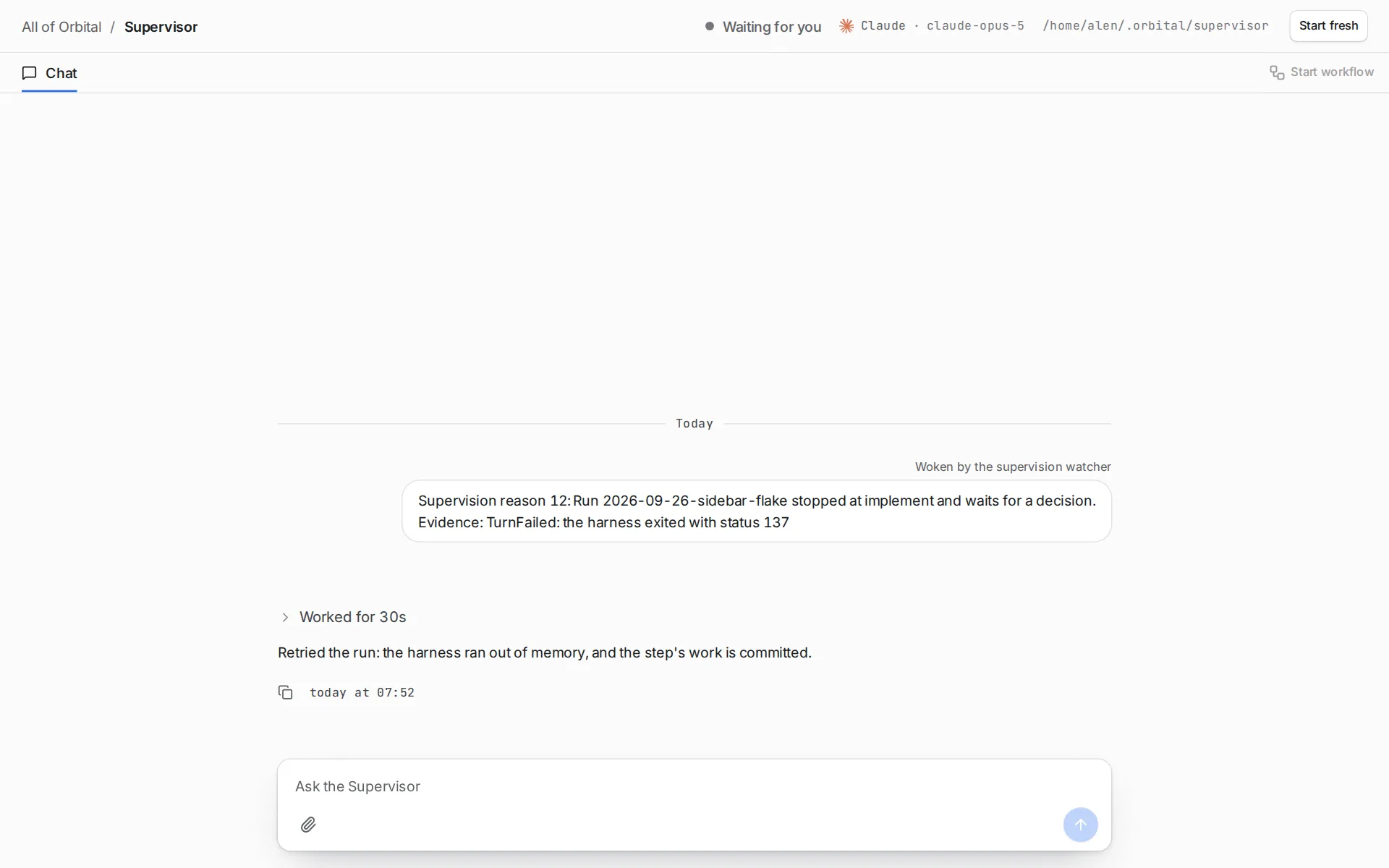
It asks you only for decisions that are yours. With Ask me first, a card marked “Waiting for you” appears with Approve and Decline.
The watcher reads the run record every 15 seconds and spends no tokens. It wakes the Supervisor when a run stops and needs a decision, except at a gate. It also wakes it when a run fails, a harness runs out of quota, or a step keeps trying tools its tool access refuses. The hourly look over runs at work wakes it too, and so does your answer to something it asked about.
It does not wake the Supervisor for what workflows already handle: failing CI, conflicts, review changes. Orbital retries a stalled turn itself. The run stops, and the watcher wakes the Supervisor, once Orbital gives up, a step reaches its visit limit, or the working folder cannot be used. What it watches has the details.
Inside the limits you set, the Supervisor messages and controls runs, answers their questions and revises goals. It switches a run to a quota fallback, starts runs and archives runs. Every action carries a reason, shows on the run’s thread, and appears as a line in its chat. It cannot change files or run commands, and it never writes to your tracker or pull requests. For those, it drafts the text and you send it. The Supervisor describes every setting.
A worked example
Section titled “A worked example”From a ticket to a merged pull request
Issue #412 in acme/shop asks for a “Copy link” button on each invoice row. The delivery lead is Claude Code with the orbital-delivery-lead skill.
Refine. The agent reads #412 and searches merged pull requests for “412”: none. It reads src/invoices/InvoiceRow.tsx on main and finds the ticket names InvoiceTable.tsx, which a recent pull request renamed. It fixes the name in the ticket, and adds a measurable “done when”: “a unit test covers the link format”.
Write the goal. From the one-ticket template:
Implement https://github.com/acme/shop/issues/412 exactly as the ticketdescribes. Read the ticket first. Follow CLAUDE.md.
Commit your progress at the end of every implement round, even when thework is not finished. Never leave work uncommitted between rounds.
Validate checks every "done when" item of the ticket one by one and runsnpm test. It rejects when any item is missing and says which, with theevidence. A blocker you cannot fix is never a pass: say so in the feedbackand keep rejecting. It passes only when every item holds and npm test passes.
Put `Closes #412` in the pull request description.
Start. list_projects gives the Shop project’s id. start_run starts pursue-goal with that goal and the title “Copy link on invoice rows”. Orbital answers with the run’s id and its page.
Check in. Thirty minutes later, get_run shows the run in its fourth validate round. read_run_history shows validate rejecting three times with the same finding, “no unit test for the link format”. There has been no new commit since the first round. Three rounds of the same findings with no new commit is a stuck signal.
Unstick. The agent sends message_run with delivery Resume: “Commit your progress now. Then add the unit test validate asks for in src/invoices/link.test.ts.” Its reason: “validate repeated one finding for three rounds with no new commit”. The next round adds a commit with the test, and validate passes.
Delivery. The run opens pull request #418 with Closes #412, and stops at the gate. Its badge reads “Waiting: The pull request is waiting for review or merge”. It holds no slot while it waits. CI fails on a lint rule; the run’s fix-CI step repairs it and publishes again. A person reviews and merges #418.
Verify and close. The agent confirms #418 merged and #412 closed, pulls main and runs npm test: it passes. It checks the new test is in main. It archives the run with archive_run, and tells you: “#412 delivered in #418, merged and verified on main.”
Choosing a coding agent or the Supervisor
Section titled “Choosing a coding agent or the Supervisor”| A coding agent over MCP | The built-in Supervisor chat | |
|---|---|---|
| What it is | Claude Code, Codex or OpenCode, with the orbital-delivery-lead skill, connected to Orbital’s MCP endpoint. |
A standing chat inside Orbital, woken by a watcher. See The Supervisor. |
| What wakes it | You, or a loop you set up in the agent. | The watcher, when a run stops, fails, runs out of quota or keeps trying refused tools, and for an hourly look over runs at work. |
| What it can do | Everything in the loop: tickets, runs, git, gh, fixes. |
Act on runs inside Orbital, and nothing else. It never writes to your tracker or pull requests. It drafts that text for you. |
| Best for | Driving a backlog end to end, including refining tickets. | Keeping runs moving while you are away. |
Many people use both: a coding agent to plan and start the work, and the Supervisor to watch it overnight.
Related
Section titled “Related”- The Supervisor: every setting of the built-in Supervisor.
- Connect a coding agent: connect Claude Code, Codex or OpenCode to Orbital.
- Use the shipped skills: install the
orbital-delivery-leadskill. - MCP tools: every tool the delivery lead can call.
- Deliver an epic: a delivery lead working through an epic.