

Pause, stop or resolve a run
Pause, resume, retry, abort, archive or resolve a run
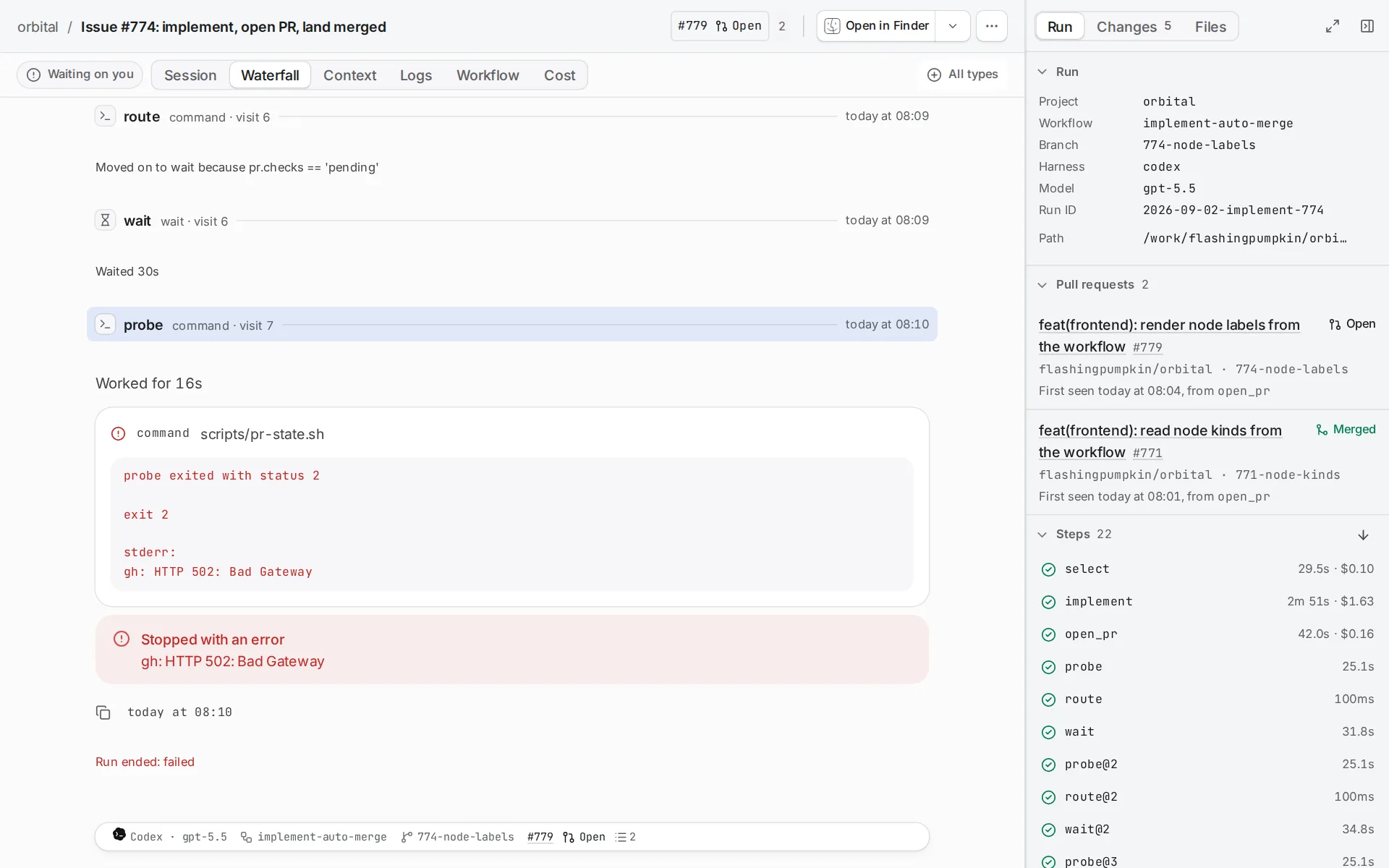
You pause, stop or resolve a run from its run page. Pause and Resume sit on the composer, and every other control sits in the Run actions menu (⋯) in the header. The app offers a control only when it applies.
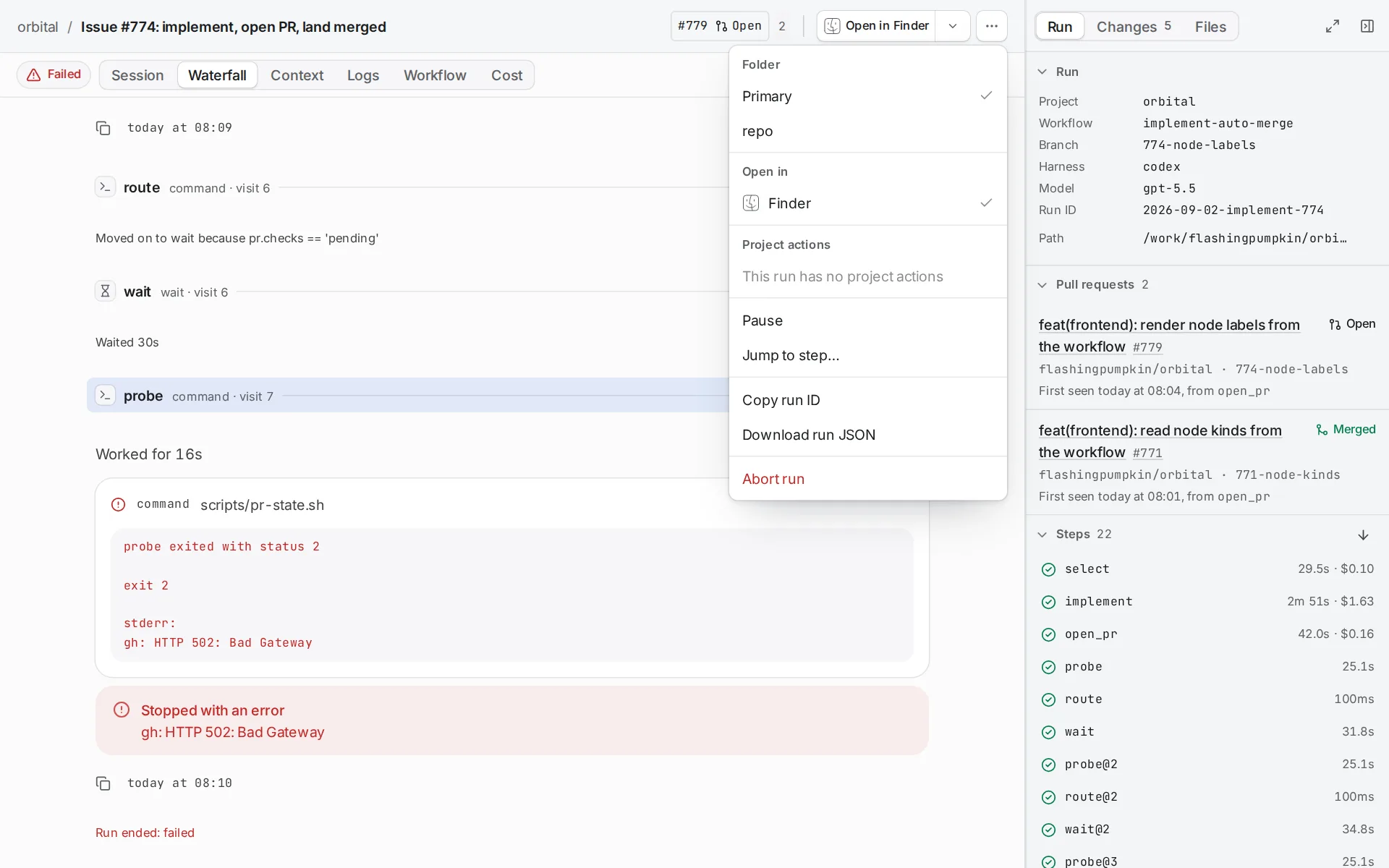
Pause and resume a run
Section titled “Pause and resume a run”Choose Pause to pause the step the run is on and hand it back to you. The run frees its run slot and shows “Paused” until you act.
Choose Resume to carry the same step on from where it stopped, in the same agent session. To start the step again from the beginning instead, choose Retry step.
A run can also stop by itself and show “Waiting on you”. Standings lists when that happens. The same controls carry it on.
Abort a run
Section titled “Abort a run”Aborting a run stops its step and ends the run.
-
Open the Run actions menu.
Choose ⋯ in the run page’s header.
-
Choose Abort run.
Orbital asks first.
-
Confirm.
Choose Abort run in the dialog, or Cancel to keep the run going.
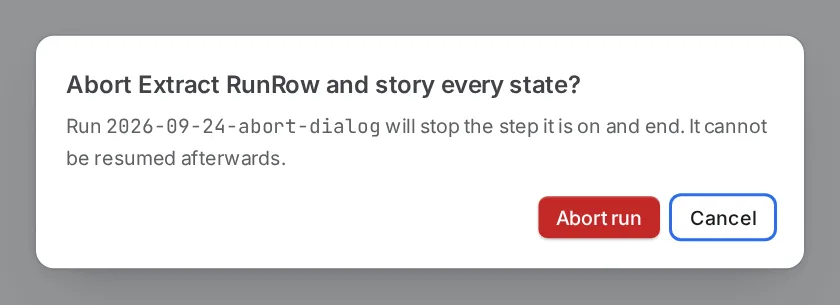
The dialog warns that the run cannot be resumed.
Resolve a failed or aborted run
Section titled “Resolve a failed or aborted run”You can mark a run that ended Failed or Aborted as resolved. Choose Mark as resolved in the Run actions menu, and the run leaves the cards at the top of Recent runs.
All run controls
Section titled “All run controls”| Control | What it does |
|---|---|
| Pause | Pauses the step the run is on and hands it back to you. The run frees its slot. |
| Resume | Carries the same step on from where it stopped, in the same agent session. |
| Retry step | Starts the step again from the beginning, as a new visit. |
| Retry with another harness… | Starts the step again on another harness. See Switch a run’s harness. |
| Jump to step… | Moves the run to another step. |
| Skip | Ends a wait now, or opens a gate. |
| Abort run | Stops the step and ends the run. You cannot resume it afterwards. Orbital asks first. |
| Restart as new run | Runs the same frozen workflow, goal and inputs again, as a new run. |
| Archive, Unarchive | Hides a finished run from the list, or brings it back. Archiving removes the run’s worktrees. |
| Delete permanently | Removes the run and its history. |
| Move to front of queue | On the runs list, starts a queued run next. |
| Mark as resolved | Takes a Failed or Aborted run off the cards at the top of Recent runs. |
Controls survive a restart
Section titled “Controls survive a restart”A control you send while Orbital restarts still applies. Durability after restarts explains how.
Related
Section titled “Related”- Runs: the standings a control moves a run between.
- Message a run: steer the agent instead of stopping it.
- Switch a run’s harness: retry a step on another harness.
- The run queue: what happens to a slot when you pause or resume.
- Durability after restarts: how controls and paused runs survive a restart.