

How Orbital works
How a run carries out a workflow, step by step, with the coding agents you already use
You give Orbital a goal, a workflow and a project, and it starts a run. The run carries out the workflow one step at a time, hands each agent step to a coding agent you already use, and records every result, so you can follow it, steer it and pick it up after a restart.
A run works one step at a time
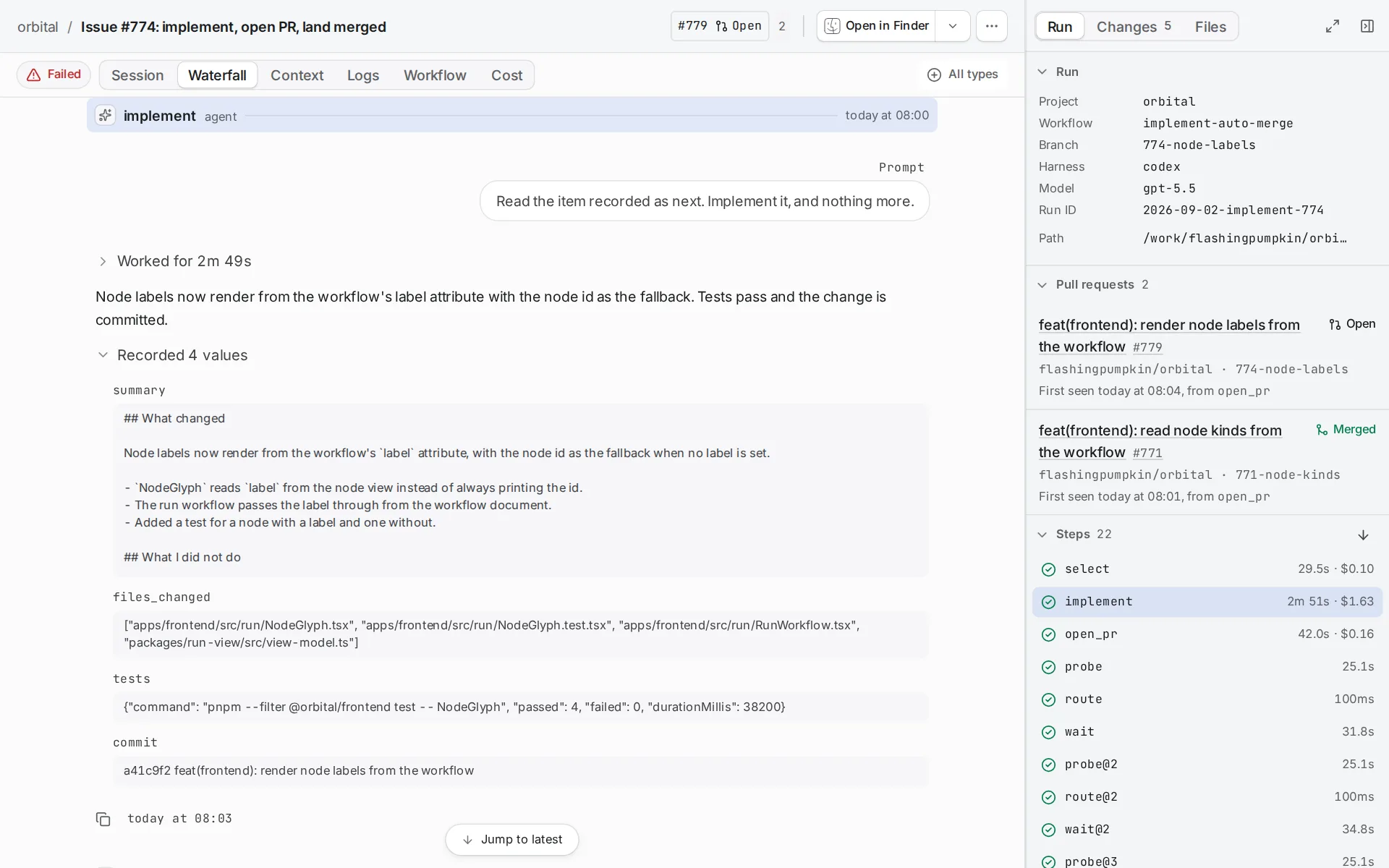
Section titled “A run works one step at a time”A workflow is a DOT file of steps and the edges between them. Its entry names the first step. From there, the run takes one step at a time:
- An agent step fills in its prompt and sends it to a harness.
- A command step records facts it reads from your machine, such as the state of a pull request.
- The edges leaving a step choose what happens next.
- A terminal step ends the run.
The harness is the coding agent that does an agent step: Claude Code, Codex or OpenCode. A step takes its harness, model and effort together from one place: its model settings, its role or the workflow’s blocks, else the run’s harness. Which harness a step uses gives the order. The transcript shows the harness and model each step used.
What a run remembers
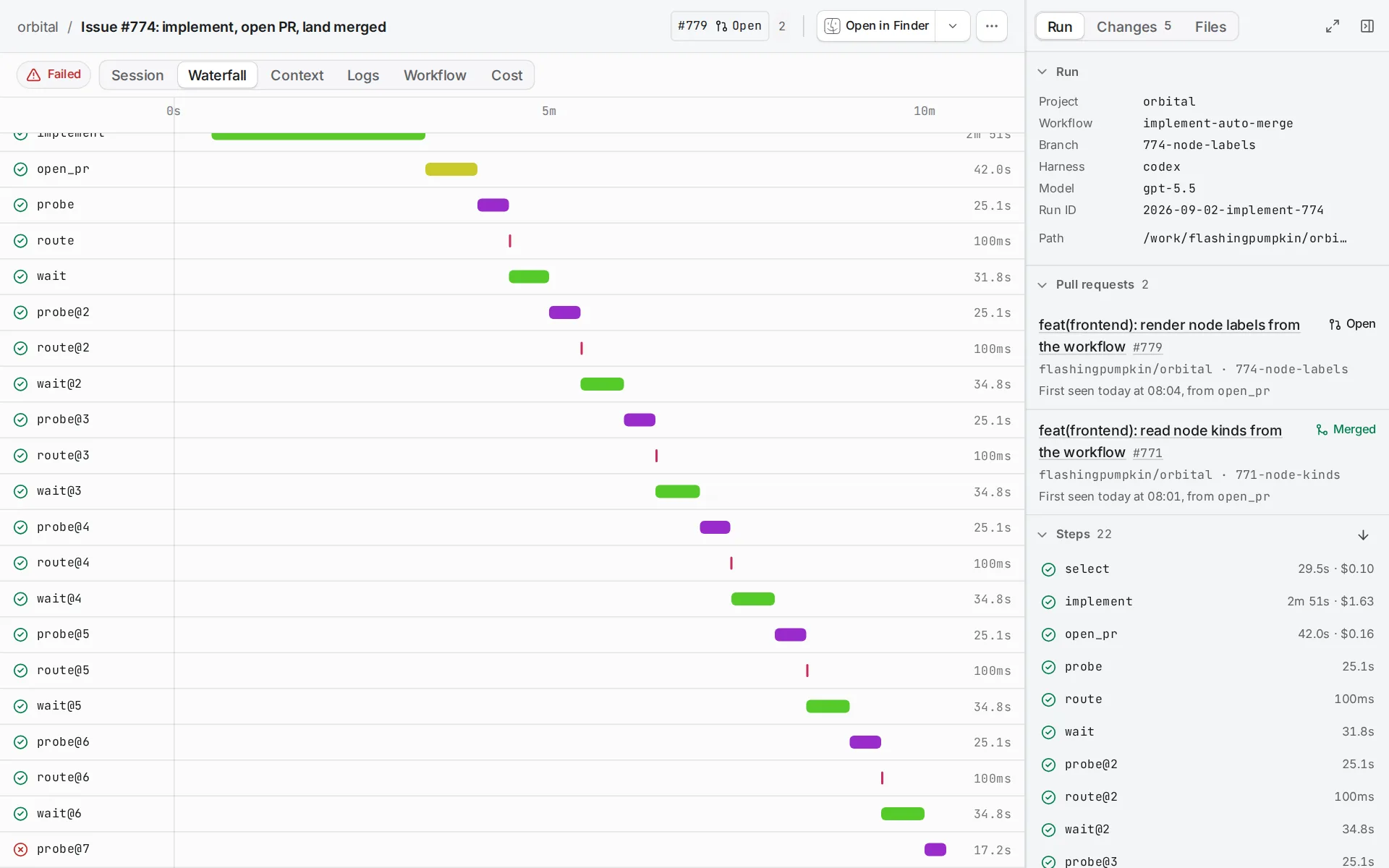
Section titled “What a run remembers”A run begins with its goal and declared inputs. Its context holds those values, accepted agent outputs, command facts and each step’s outcome. Prompts read context. Conditions on edges only read values available on their path through the workflow. Pass context between steps explains what a step can read.
Agent outputs are checked, structured data. Orbital does not scrape them from the agent’s prose. An outputs declaration tells Orbital which keys and types to accept. The agent’s final response stays available under context.response.<node>.
Built-in probes only observe. A parallelogram with probes="pr" reads each repository folder’s current pull request from GitHub. Script commands are different: they run your shell command once in the primary folder and declare their own typed facts.
Runs carry on after a restart
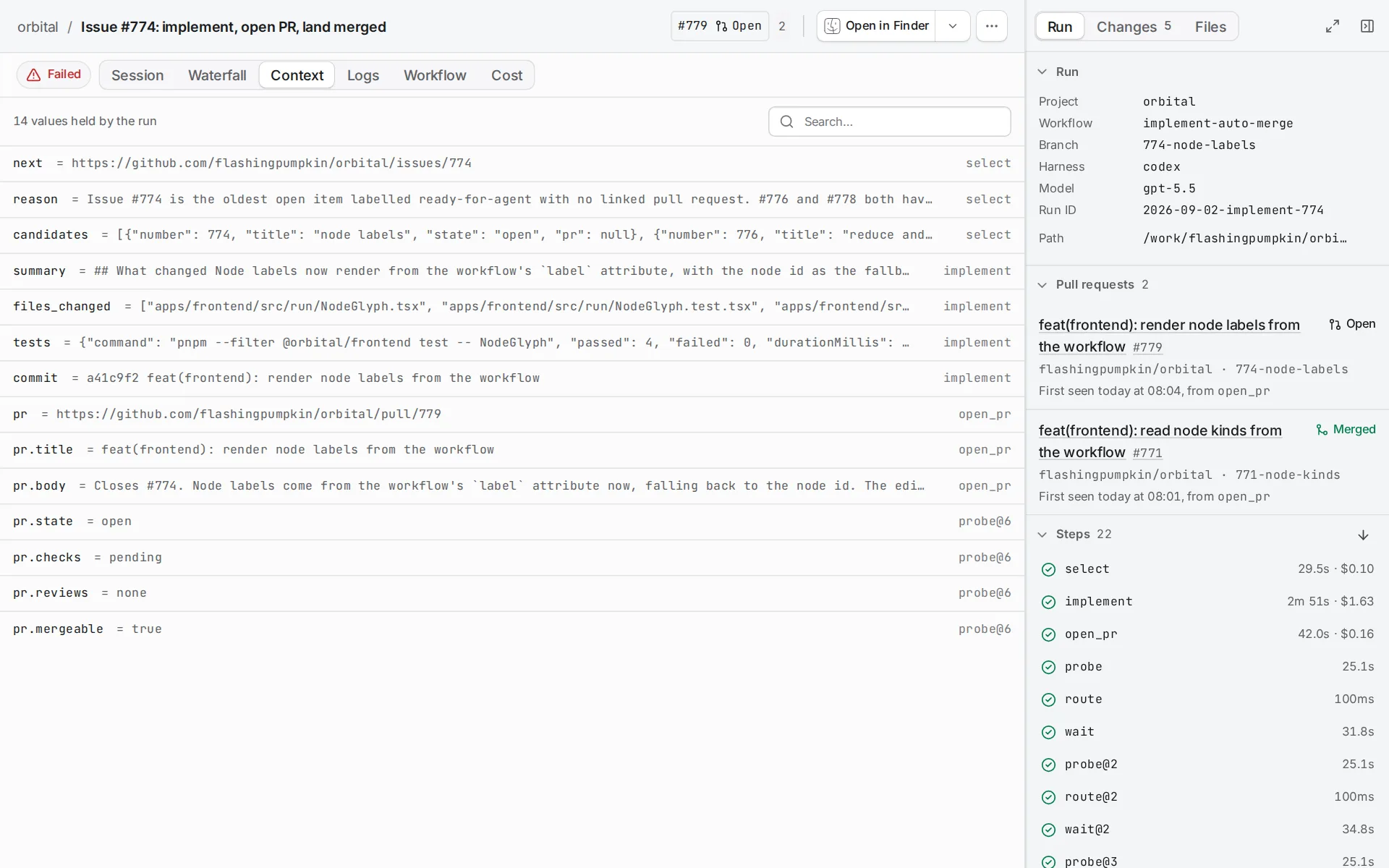
Section titled “Runs carry on after a restart”Orbital keeps every run’s progress, context and transcript in ~/.orbital/run-history.db. ORBITAL_HOME moves it to $ORBITAL_HOME/.orbital.
Closing the browser leaves the server running. When Orbital restarts, every run you did not pause carries on from its last finished activity, with the context it had:
- A finished step does not run again.
- A wait wakes at the time it first set.
- An agent turn continues its session.
The message an agent was writing when Orbital restarted may be lost. A tool call that was running may run again.
A paused run stays paused until you resume it. Resume carries the step on in the same agent session. Retry starts the step again as a new visit.
A run keeps the workflow as it was when the run started, and the harness you picked for it. Orbital rereads a prompt file before a later visit. If your edit is invalid, it keeps the checked prompt. Durability after restarts covers restarts in full.
You can steer a live run
Section titled “You can steer a live run”Open the run and read the active step and its transcript. Send a message when the agent needs a correction. A message you queue reaches the agent whole in its next turn that can take it, even when the history sent with that turn is shortened. Harnesses differ in whether they can take a message during a live turn. Message a run shows how.
Pause the run to stop its current work before you change direction. Answer questions and permission requests on the run page. During a wait, skip the remaining time only when the observation should run again now.
When a step fails
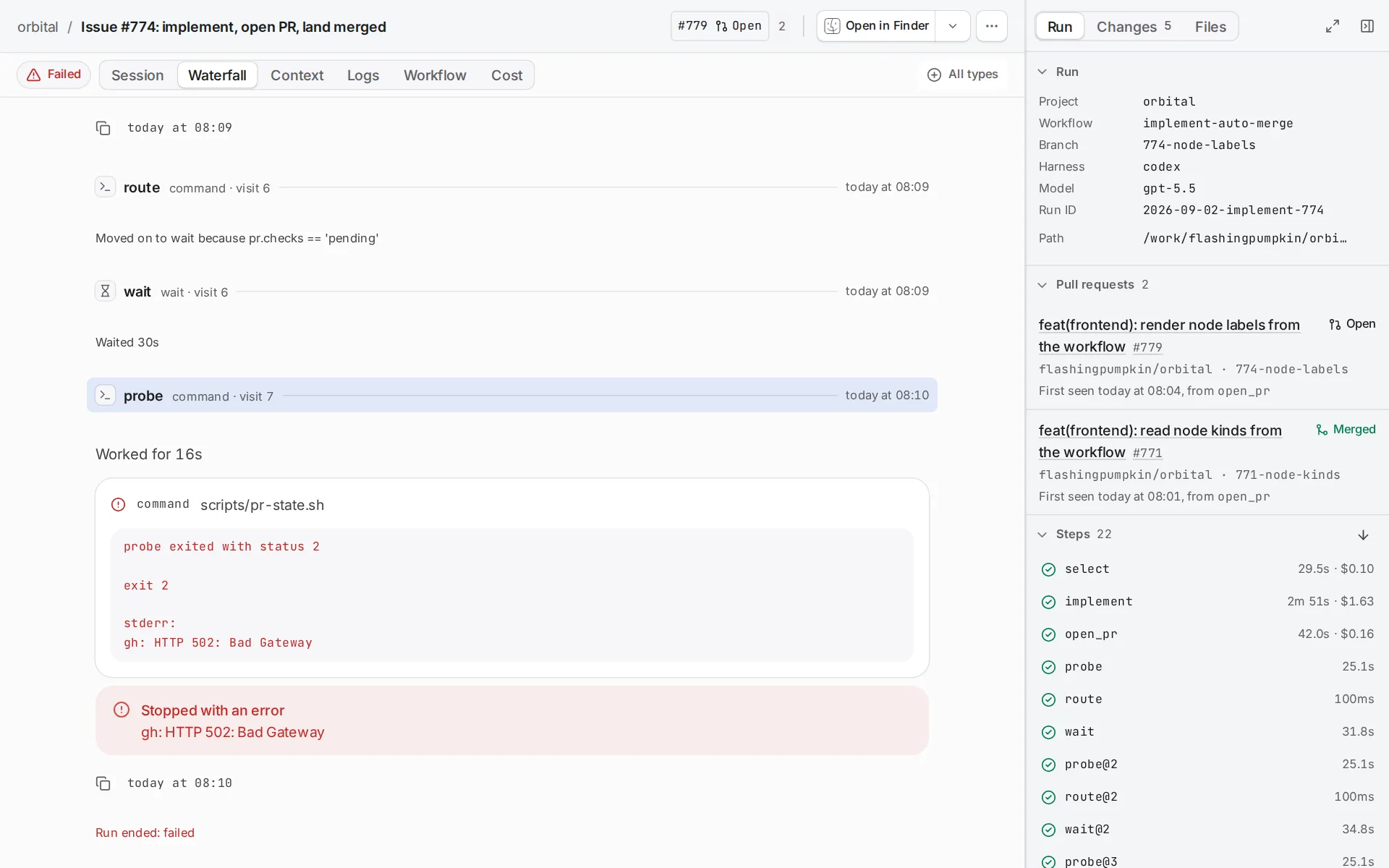
Section titled “When a step fails”What happens depends on where the failure is:
| Failure | Result |
|---|---|
| A step fails and a failure edge matches | The run takes the edge and may recover. |
| A step fails and no failure edge matches | The run is Paused and shows “Waiting on you” until you act. |
| A terminal step fails | The run ends as Failed. |
These are different standings, so check both the standing and the transcript. Error handling gives the exact rules. Troubleshooting explains how to recognise each state in the app.
Quick reference
Section titled “Quick reference”| Idea | What it is |
|---|---|
| Run | One workflow carried out for one project, towards one goal. Orbital keeps its full history, and you can follow, message, pause and resume it. |
| Workflow | One DOT file of steps and the edges between them. Orbital loads, validates and runs it, and ships eight of its own. |
| Node | One step of a workflow. Its shape decides what it does. There are eight kinds, from agent steps to gates and fan-outs. |
| Gates and waits | A gate stops a run until a person lets it continue. A wait stops it for a set time. Both survive a restart. |
| Run queue | Orbital works on at most a set number of runs at once, two unless you change it. Other runs wait and start as slots free up. |
| Durability | When Orbital restarts, every run you did not pause carries on where it was. Queued runs keep their place. |
| Project | A name and the folders a run works in. A folder can be a Git repository or a plain folder. Every run belongs to one project. |
| Worktree | An isolated copy of a repository on a branch of its own. Code workflows use it to open a pull request and repair it until it merges. |
| Harness | The coding agent that does an agent step: Claude Code, Codex or OpenCode. You install and sign in to each yourself, so each step runs on your own plan. |
| Role | Who a step’s agent is, which model it runs on and which tools it may use, bundled under one name. |
| Chat | A conversation with one coding agent in a project, with no workflow behind it. Use it for work you do not repeat. |
| Trigger | A rule that acts on runs when something happens in GitHub, Linear or on a schedule. It can start a run, or stop, pause or message runs already working. |
| Supervisor | An optional chat that acts as your delivery lead inside Orbital. When a run needs help, it steps in within the limits you set. |
Related
Section titled “Related”- Start your first run: see runs, projects and harnesses work together.
- Pass context between steps: what goes into context and what a step can read.
- Pause, stop or resolve a run: take control of a live run.
- Error handling: the exact rules for failed steps.
- Settings: where you change how each part behaves.