

Durability after restarts
Every run carries on where it was when Orbital starts again
You do not need to do anything when Orbital restarts. Every run you did not pause carries on where it was, and nothing that finished runs again. Orbital restarts when you quit the app, when it updates, or when the computer restarts.
What Orbital keeps
Section titled “What Orbital keeps”An activity is one unit of a run’s work: an agent turn, a command, a check, a wait or a worktree step.
Orbital saves each run’s progress as the run goes, in ~/.orbital/run-history.db. It keeps:
- the result of every finished activity;
- the time each wait wakes;
- every control you sent;
- whether you paused the run.
What happens at the next start
Section titled “What happens at the next start”- Orbital stops any agent programs that were still running from before the restart.
- It carries on every unfinished run you did not pause, from its last finished activity.
- Runs that were working take their slots back. Queued runs keep their place in the queue.
- A run that reached a new step while Orbital was shutting down starts that step now.
Each kind of run comes back as follows:
| Run | After the restart |
|---|---|
| At a timed wait | The wait wakes at the time it first set. |
| Paused | It stays paused. |
| At a gate | It stays at the gate. |
| Aborting | An abort that was under way ends as aborted. |
| With a half-applied control | The control is finished when you send it again. |
A step that was under way
Section titled “A step that was under way”A step that was under way when Orbital restarted had no result yet, so Orbital picks it up again. The run’s thread shows both attempts.
| Activity | What happens |
|---|---|
| An agent turn | It continues its session. If the harness cannot continue that session, the step starts again in the same worktree with the same prompt. The harness sets two limits: the message the agent was writing may be lost, and a tool call that was running may run again. |
A command marked repeat_safety="idempotent" or "reconcilable" |
It runs again. |
A command left with the default, uncertain |
It waits for you instead of running again, because running it twice could do harm. The run is Paused and shows “Waiting on you”. |
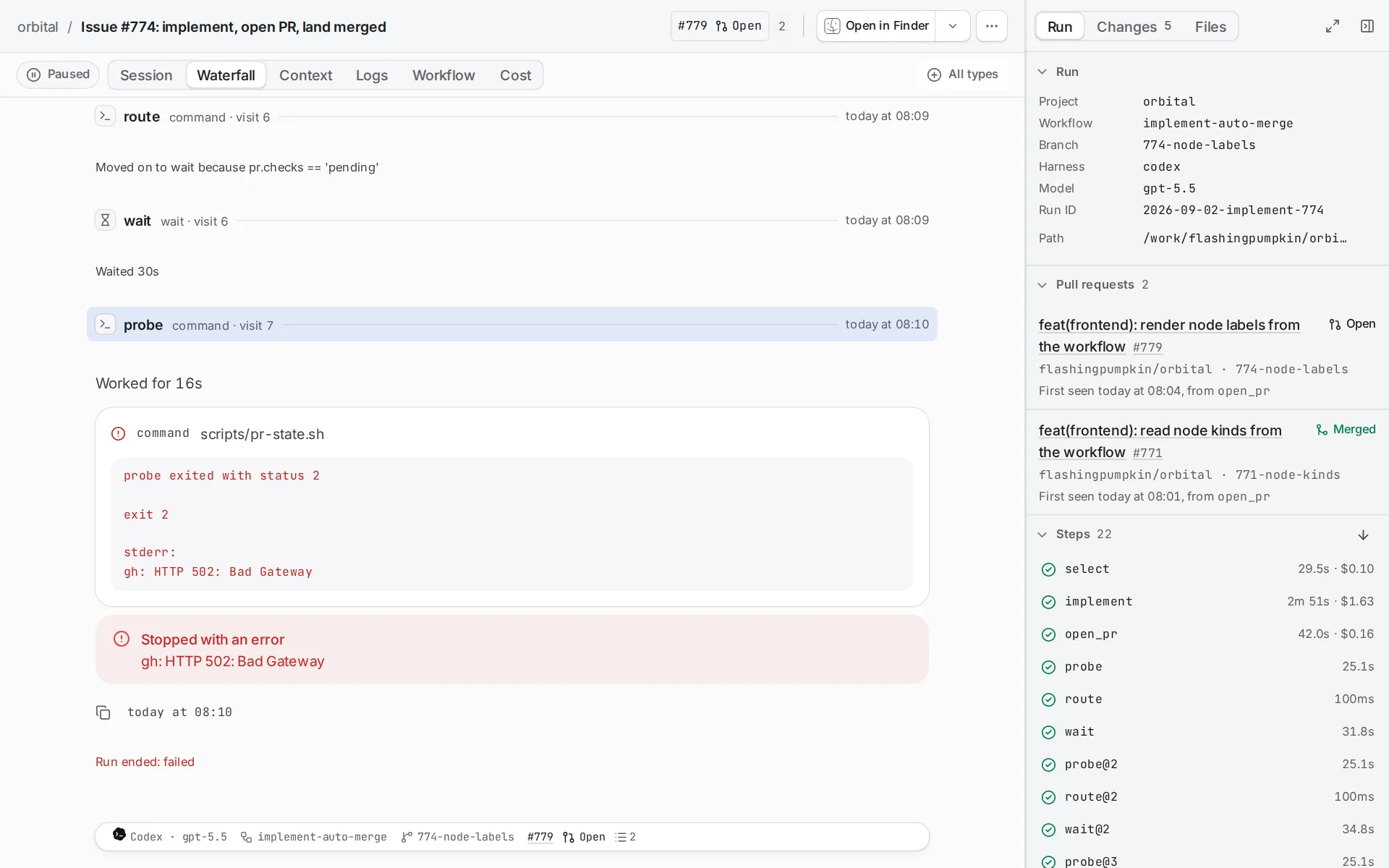
For a command that did not run again, check what it did. Then choose Retry step or Resume.
Pause and resume
Section titled “Pause and resume”Pause marks the run as paused, stops its agent and frees its slot. The run stays paused across restarts. Resume carries the same step on: an agent turn continues the same session in the same worktree. Retry step starts the step again instead. See Pause, stop or resolve a run.
A chat that was answering when Orbital stopped goes back to waiting, with a note that the answer failed. Send a message to carry on.
Keep a copy
Section titled “Keep a copy”Your data survives upgrades and uninstalling.
Related
Section titled “Related”- Pause, stop or resolve a run: the controls Orbital records.
- The run queue: how slots come back after a restart.
- Error handling: what a run does when a step fails.
- Troubleshooting: fixes for runs that stop or stall.